Portfolio · programs for offices · personal tools · research on AI agents
David Grubešić
I have a bachelor's degree in computer science from the Faculty of Engineering in Rijeka. I work on testing AI agents and on building software for personal and commercial use. I have made programs that two offices use every day, a number of tools for my own computer, and, for my thesis, a lab study of the security of AI agents.
- In use
- 4 programs
- In development
- 1 program
- Personal tools
- 9 tools
- Research
- Thesis on AI agents
01 / Highlights
Three things worth a look
The full list is in the catalogue. Here are three pieces of work that show well how I work: one program for an office and two tools for my own computer.
Personal tool · keyboard
Wootarchy
The keyboard as a small display. Wootarchy lights the keys of my Wooting keyboard from live data, such as how much of my 5-hour AI usage limit is used, or how much AI traffic is flowing right now.
- Each feature is a line of keys I can move, turn and lengthen, and the display spreads itself over however many keys there are.
- The window doubles as a catalogue: the on-screen keyboard glows in the same colours as the real one, and every feature explains what it shows and when not to trust it.
- Changes show on the keyboard instantly; only the save button writes them for good.
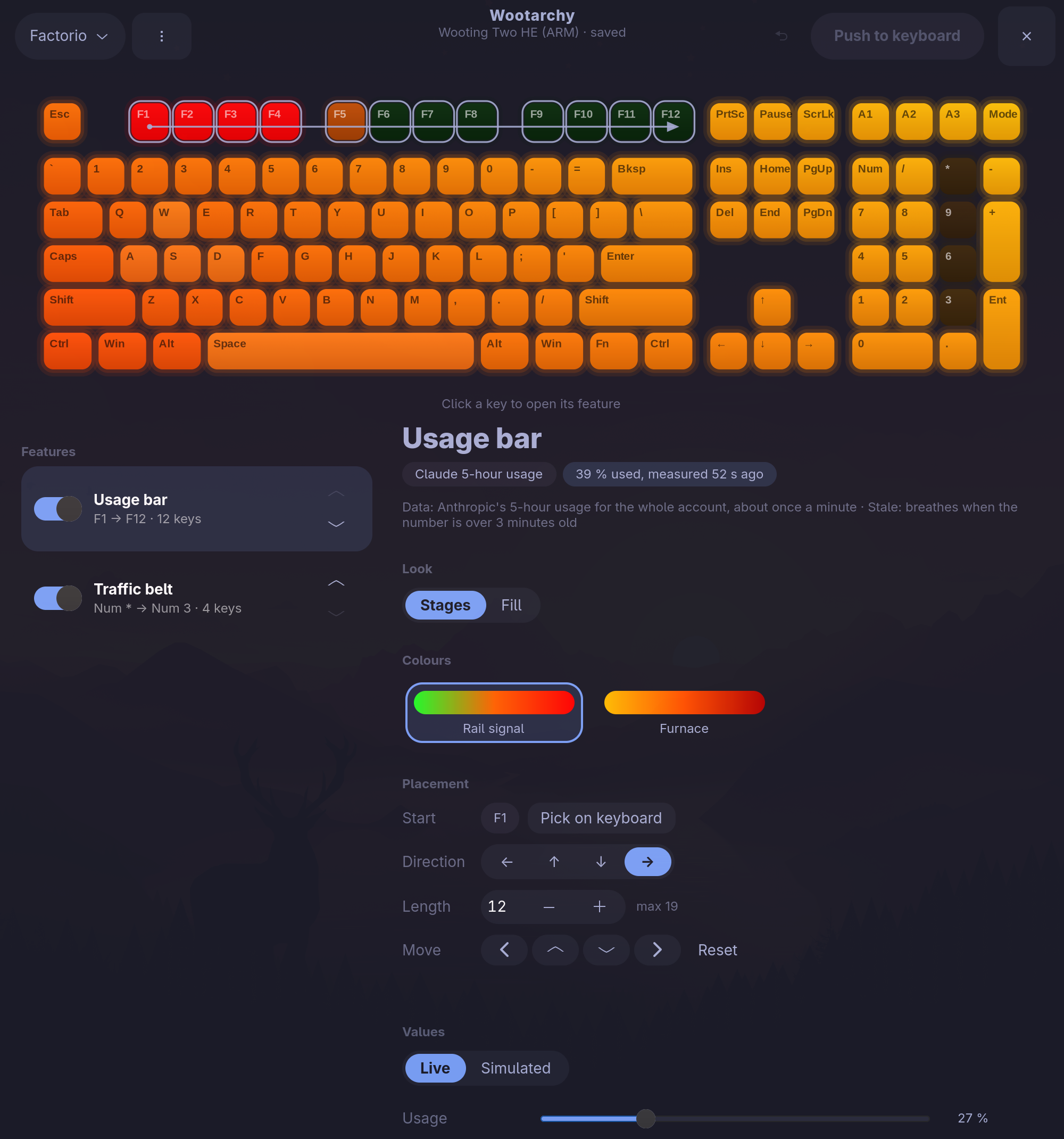
FIG. 1The feature catalogue: on-screen keyboard, feature list, and the settings of the usage bar on keys F1 to F12. Program for an office · in use
Arhiva
A backup interface built from scratch for Bilanca d.o.o. Data from three networked office computers is copied, encrypted, to an external USB disk, and the disk is disconnected between runs for added security.
- A live dashboard shows the file being copied right now.
- Restoring takes four steps with no risk of overwriting anything: files go into a new folder by default.
- One-click install with no internet needed; the whole process was tested in Windows virtual machines.
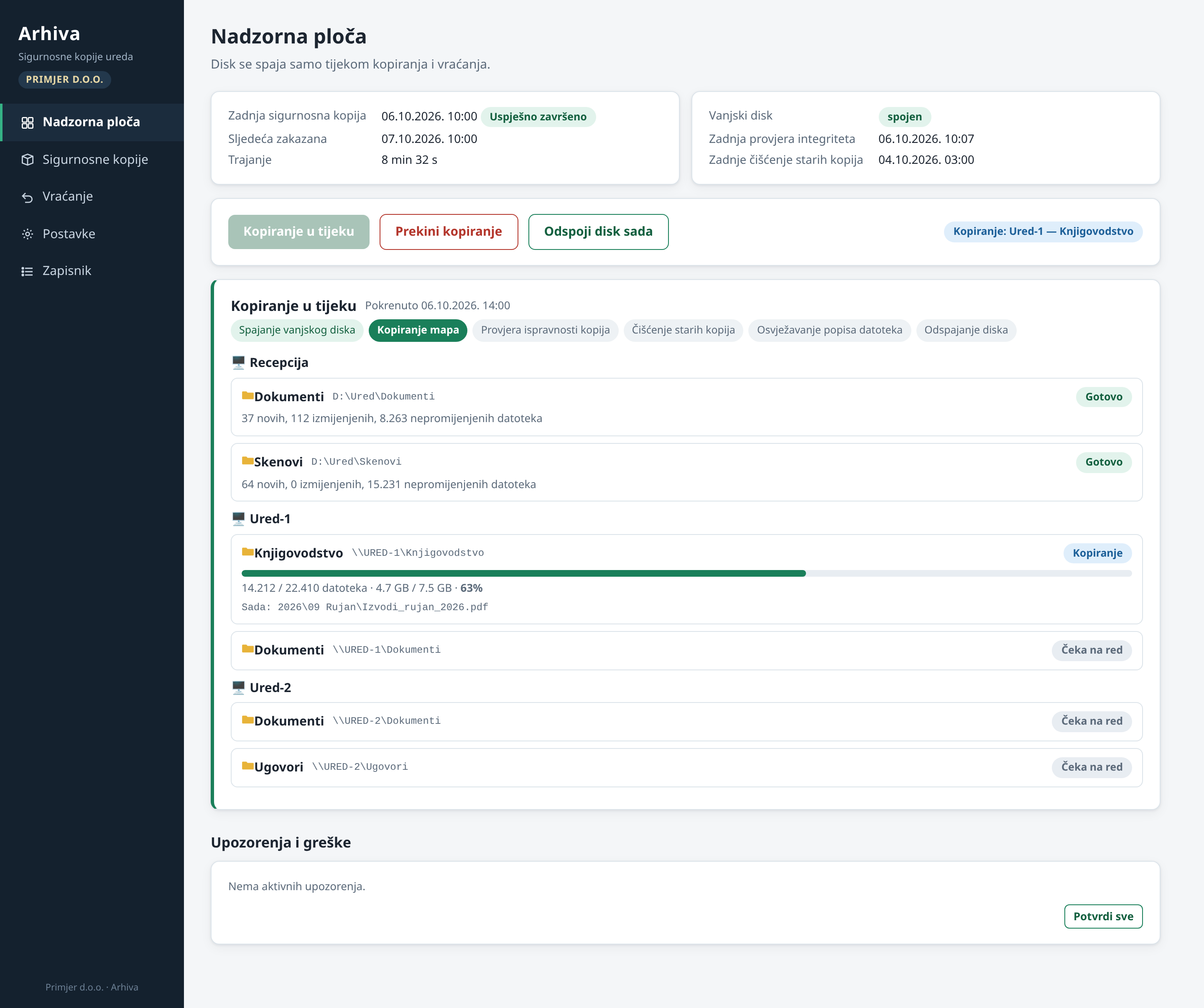
FIG. 2Arhiva dashboard during a backup: the state of every computer and folder, and the file being copied right now. 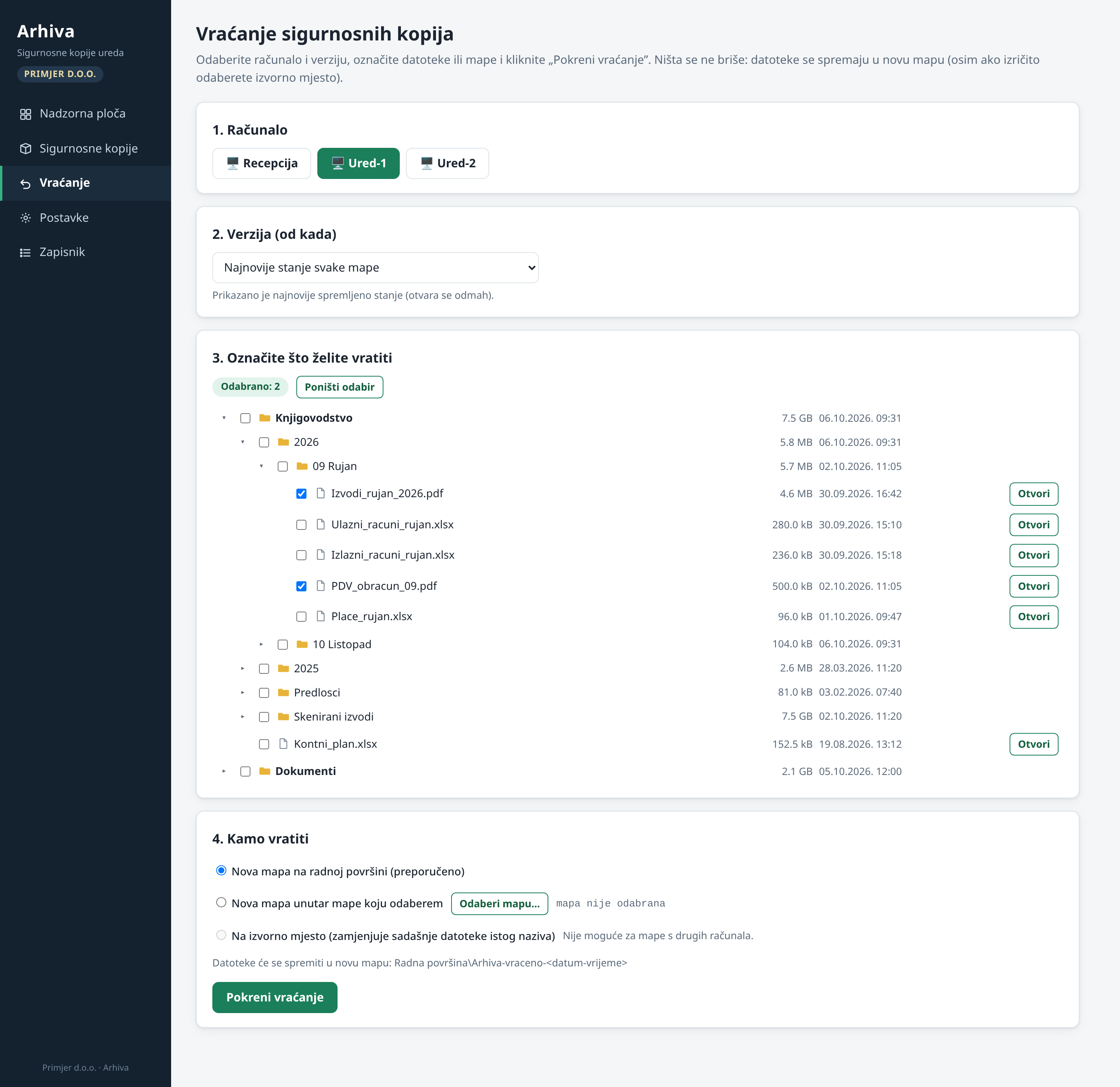
FIG. 3Restoring in four steps. By default files go into a new folder, so nothing is overwritten. Personal tool · working with AI agents
File Tray
A tray on my desktop through which AI agents hand me the files they made. Instead of hunting for where an agent saved something, the file shows up here.
- I can drag a file into another program, copy, rename or open it.
- One button sends it to a shared folder on another computer.
- The contents stay when I close the window, until I empty the tray myself.
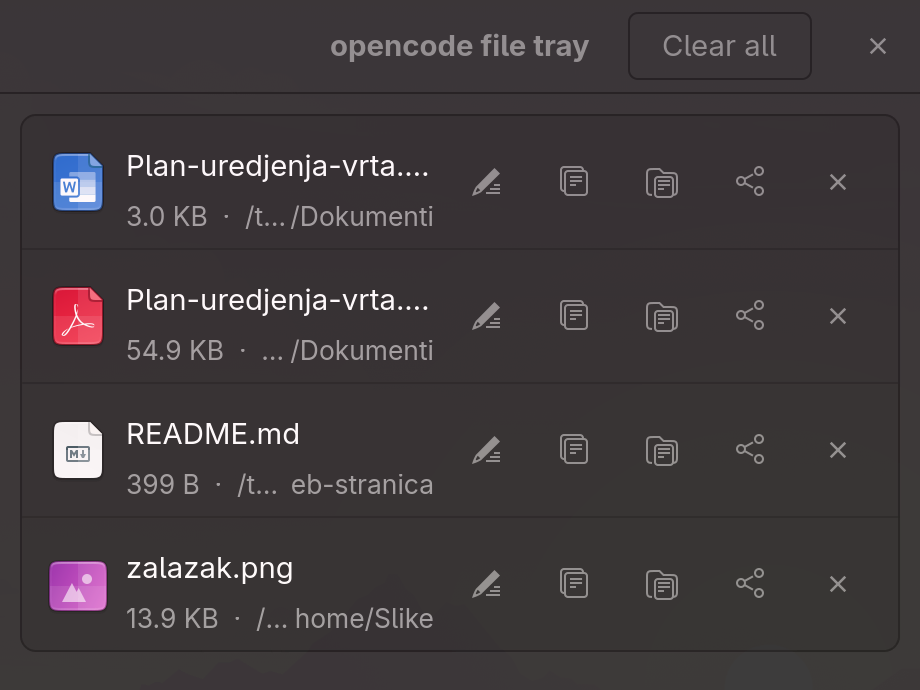
FIG. 4The tray with four files handed over by agents, each with buttons to rename, copy, open, send to another computer and remove.
All data in the screenshots is made up.
02 / For offices
Does your office need a program too?
I make programs for offices to order. They are used by Bilanca d.o.o. in Rijeka and by SAING d.o.o. For your office it can be a new program, an adapted one, or an existing one as it is.