Office programsA.02
Arhiva
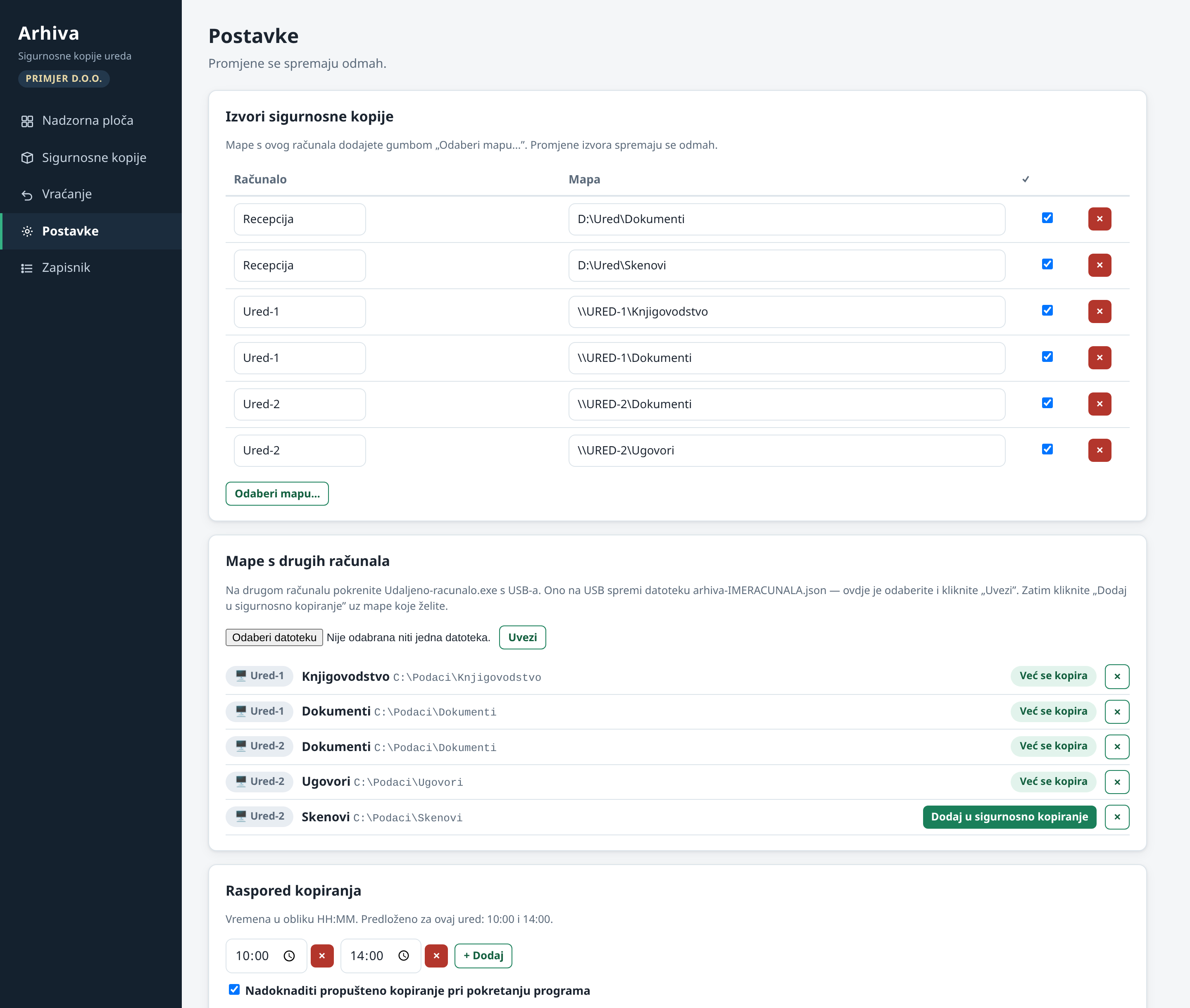
On a schedule, Arhiva copies the data from the office's three networked Windows computers onto an external USB disk at the main computer. The copies are encrypted, and the disk is taken offline between backups for added security.
- Status
- In use since September 2026
- Used by
- Bilanca d.o.o., an accounting office in Rijeka
- Computers
- 3 Windows computers in the office
- Destination
- External USB disk, offline between backups
- Backups
- Encrypted, on a schedule
- Installation
- One click, from an offline package
4 screenshots
What it looks like
All data in the screenshots is made up.
A.02
What it does
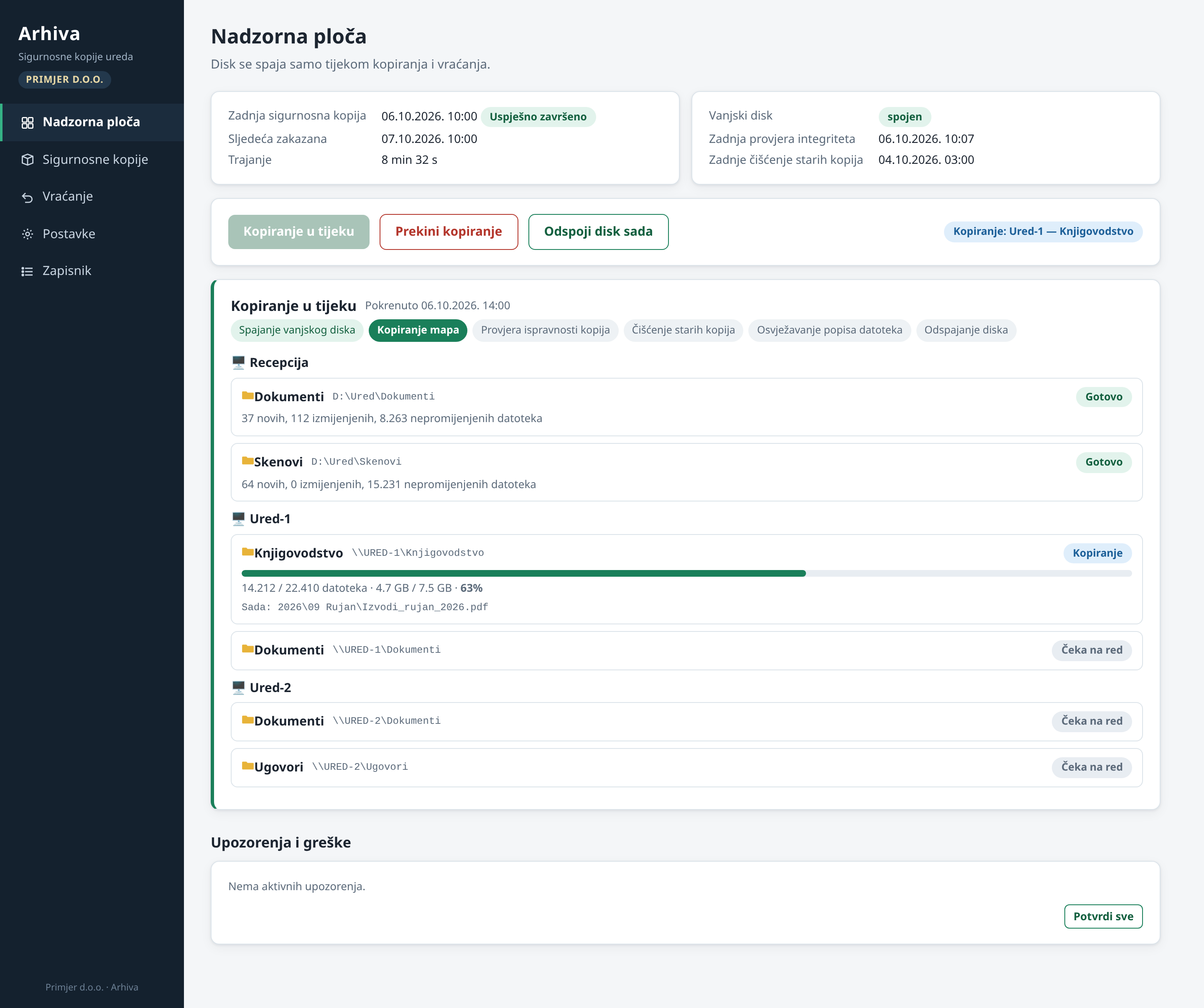
- An interface in the browser: live progress for every computer and every folder.
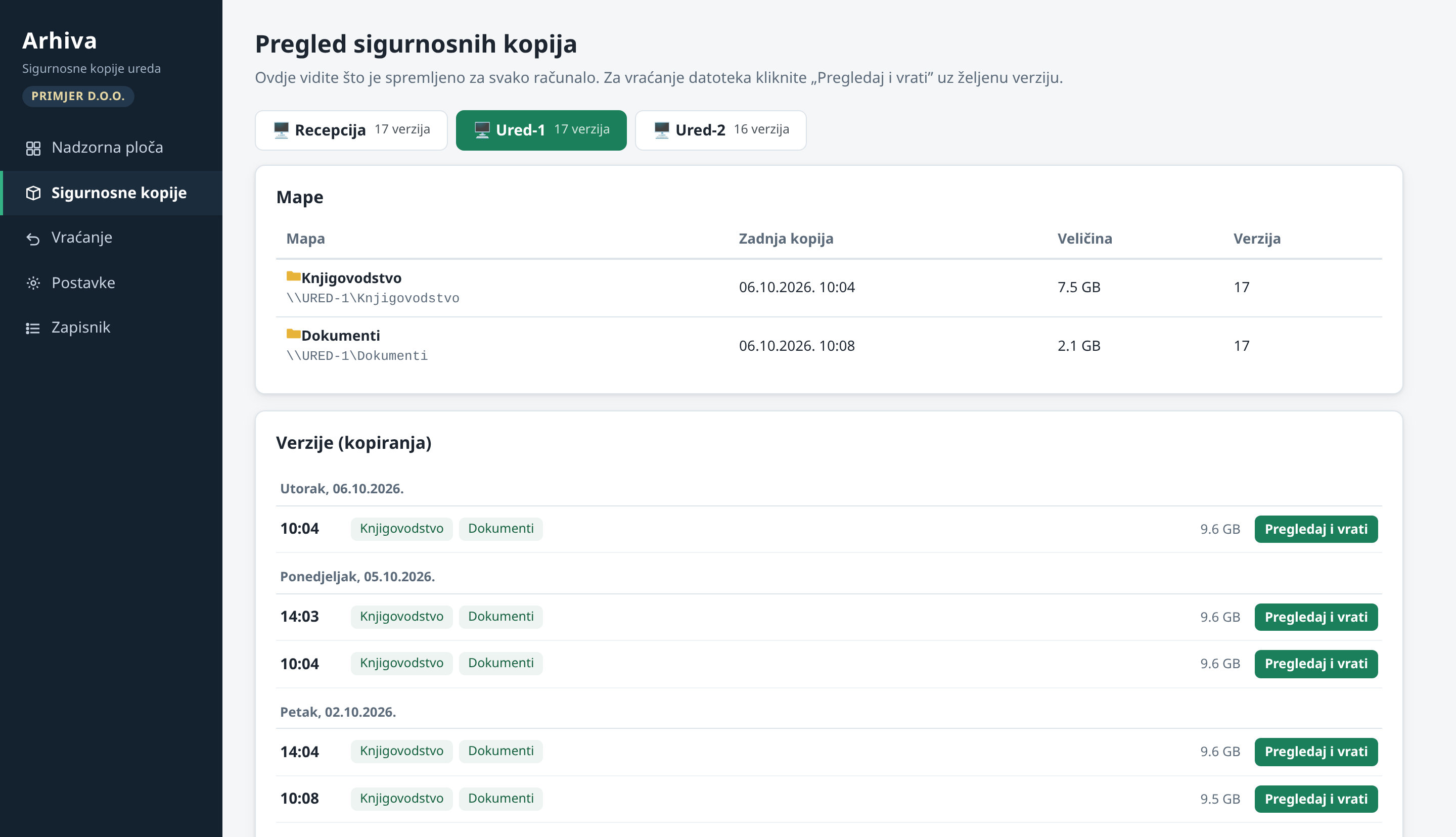
- Every backup is kept as a version, and versions are listed by day.
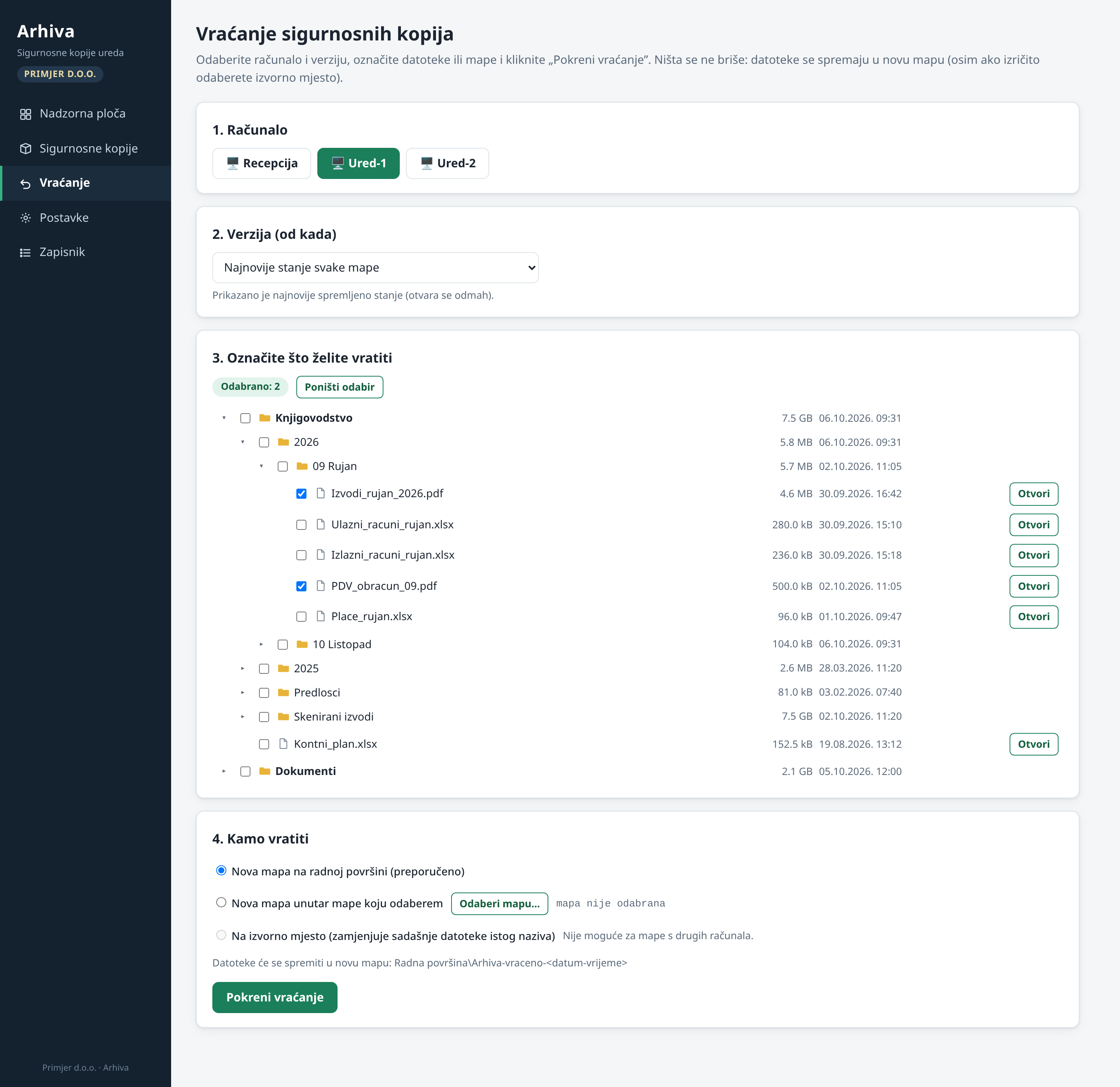
- Restoring takes four steps: computer, version, files, destination.
- A warning when a large number of files changes all at once.
- Installed with one click from an offline package. The whole process was tested end to end in Windows virtual machines.